Pocket Backlog 1.5.0
1.4 brought every platform into one backlog. 1.5.0 is about how it feels to open it: a Library that greets you with the game you’re playing, a new way to find the next one, and room to spread out on a bigger screen.
A Library that comes alive
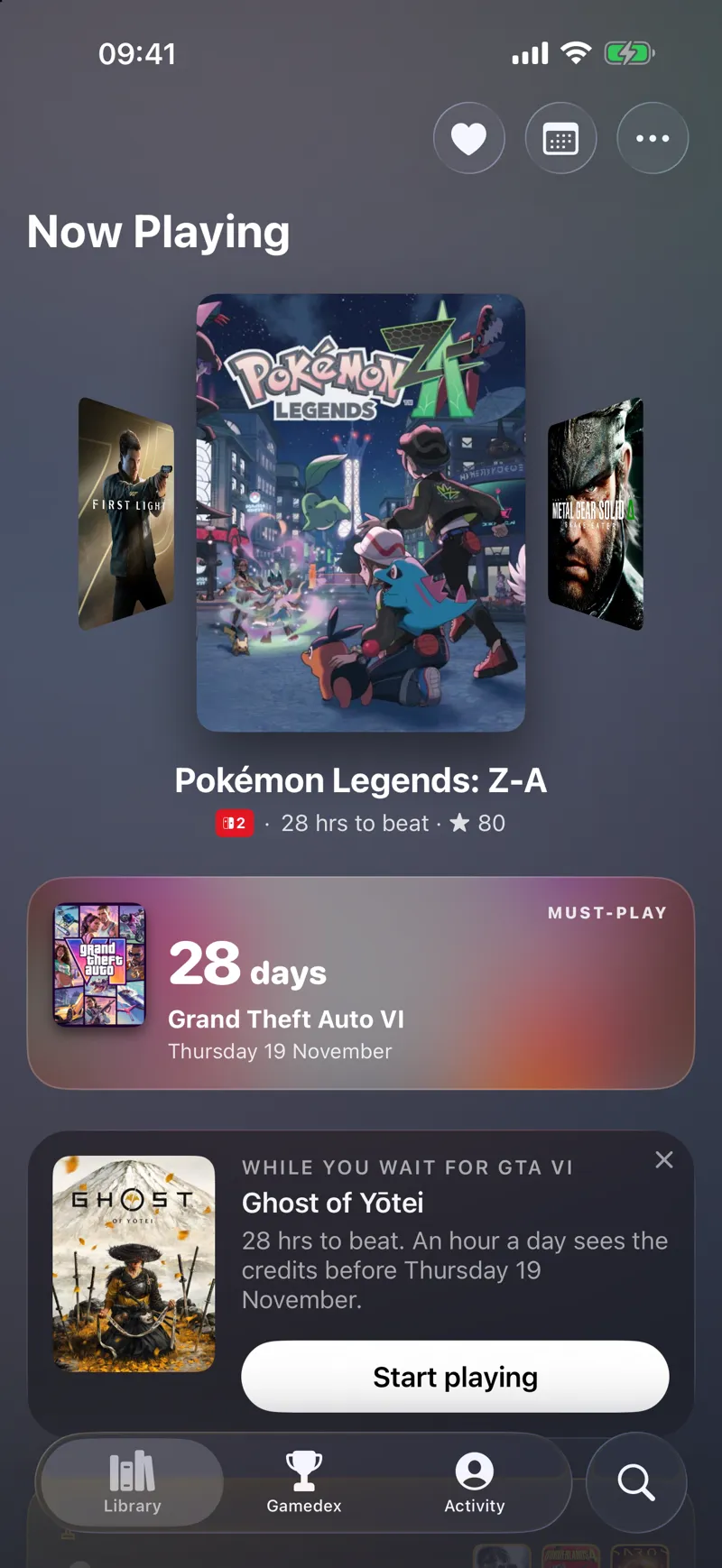
Now Playing is a Cover Flow, and the screen takes its colour from the game in the middle. Nothing on the go? Next Up takes its place. Around it sit a countdown to your next must-play, whatever needs you, and your Gamedex.
And while you wait for that big release, the Library picks a game from your Backlog you can finish before it lands, at an hour a day. Ghost of Yōtei before GTA VI? It’s doable.
Discover
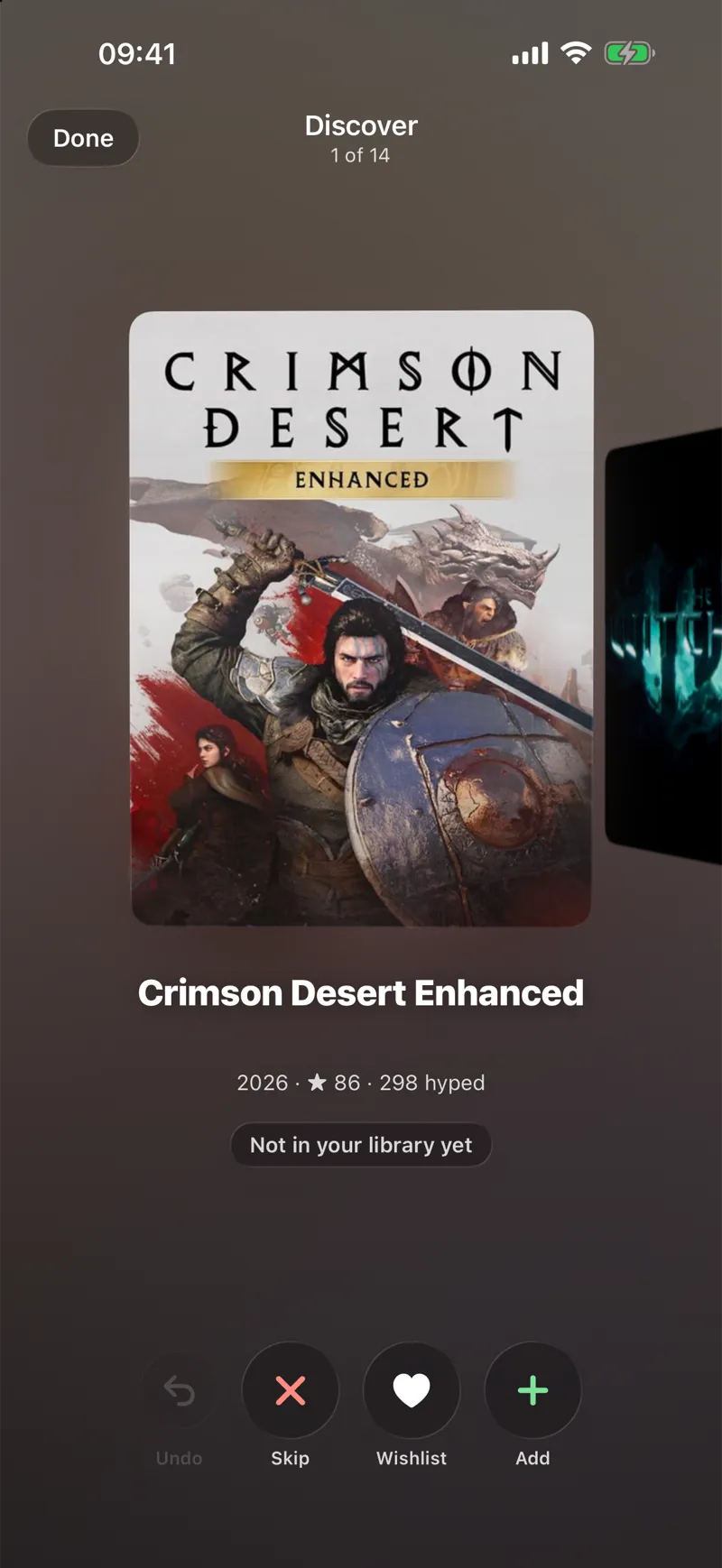
Discover is a Cover Flow of games you don’t own yet. Skip, Wishlist or Add each one, and Undo if you change your mind.
Game cards learned a new trick too. Swipe up on any card for its details and keep scrolling, and the card folds itself into a small bar at the top. Tap the bar to go back.
Hello, iPhone Duo
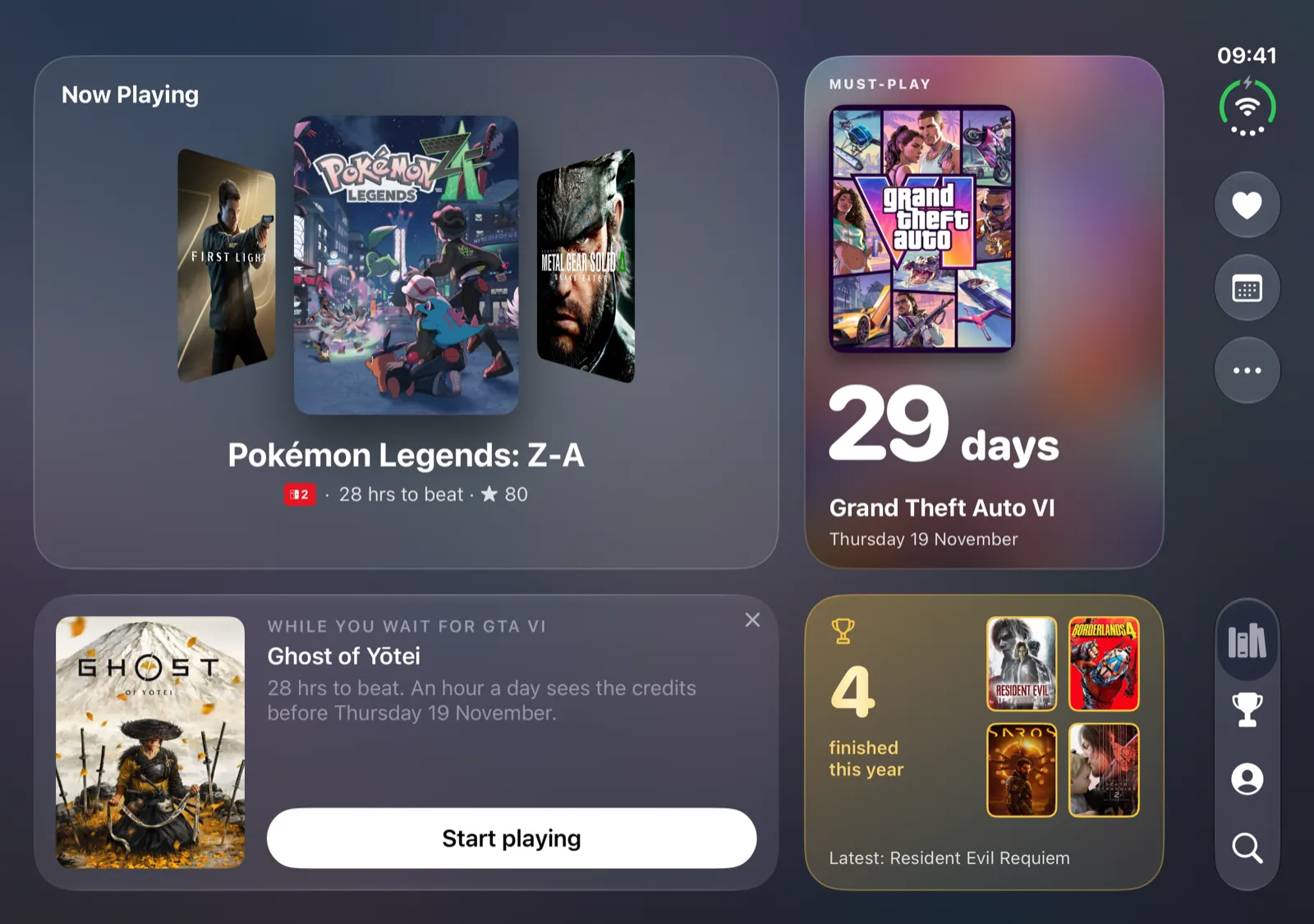
Open your Duo and the Library spreads a mosaic across both screens. Tap a game and its cover fills the left while its details scroll on the right, with the tabs running down the side.
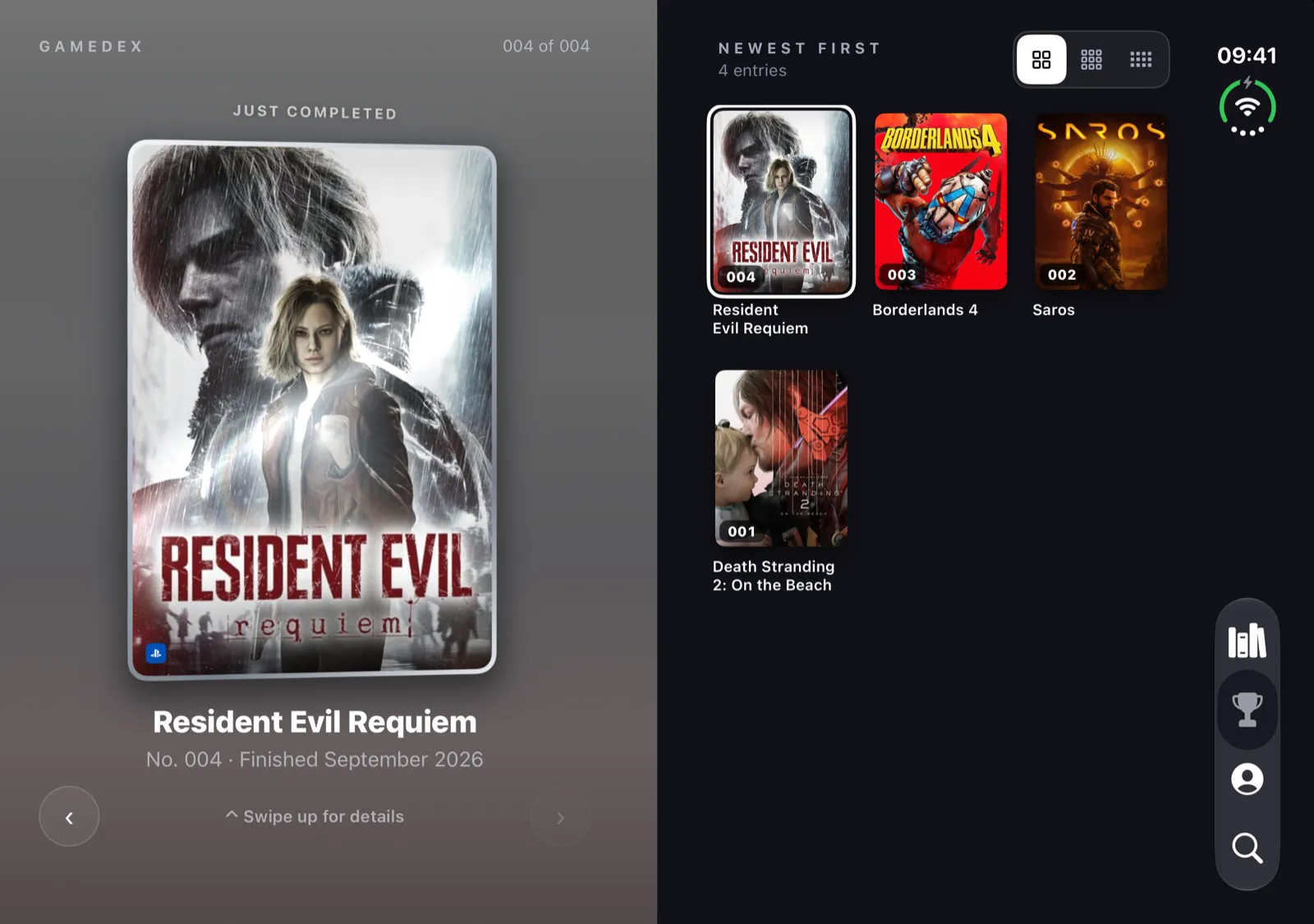
The Gamedex becomes the Dex: one finished game on show on the left, painted from its cover, and every finish in a numbered grid on the right. Half-fold it like a laptop to check in, with the game up top and your stars, progress and note below.
That’s 1.5.0 — open it up, and see what’s next.
Play what’s next.