Pocket Backlog 1.4.0
Steam was just the start. Most of us didn’t build a backlog on one platform: it’s a game on the PlayStation from a summer sale, a Game Pass download you meant to get to, a Switch cartridge still in its case. Pocket Backlog 1.4.0 brings all of it home, then gives you better ways to look at it.
Xbox and PlayStation, imported
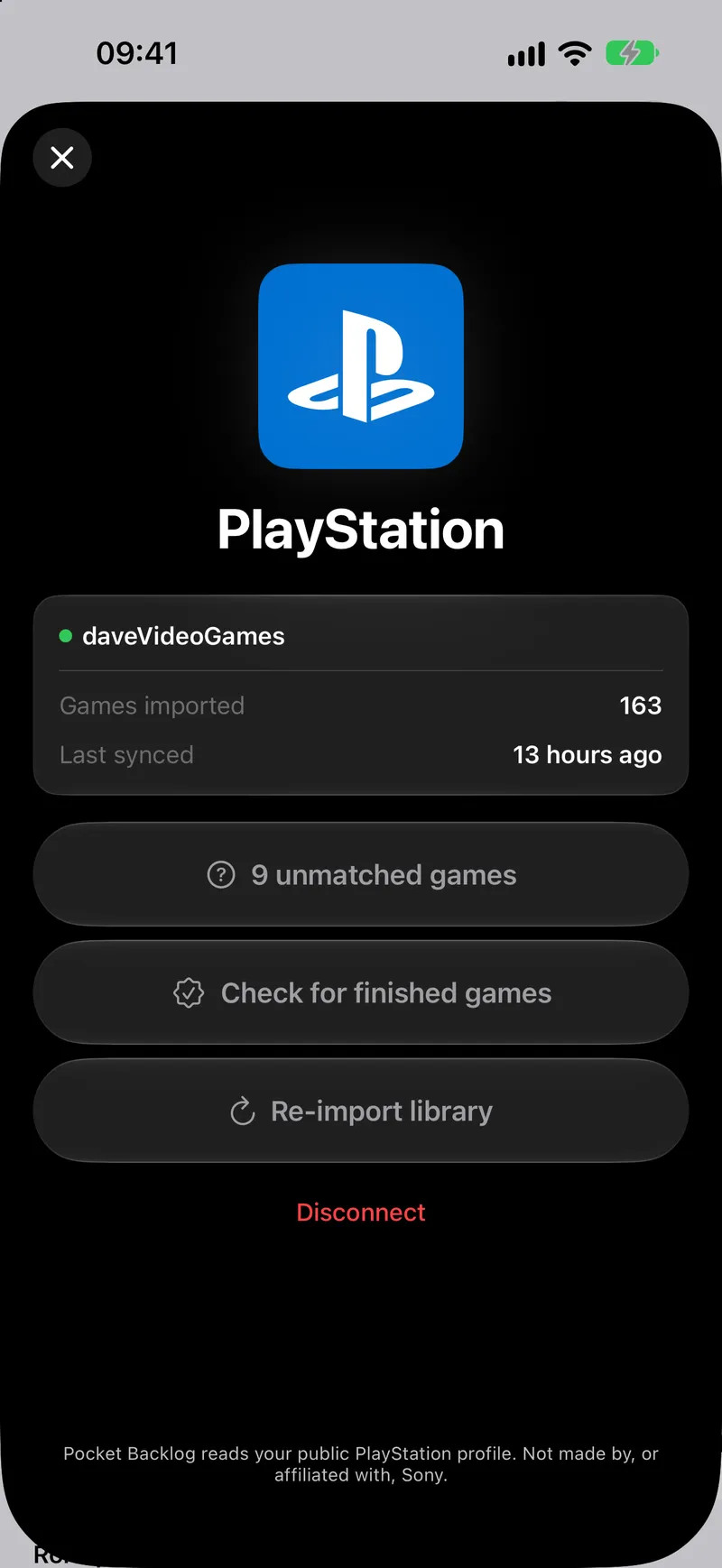
Sign in with Xbox or PlayStation in Settings and your whole collection lands in your backlog in one go, right beside your Steam library. Achievements and trophies come too, so you can see how far you’ve come on each game. Pro gets the full list.
Your backlog, on shelves
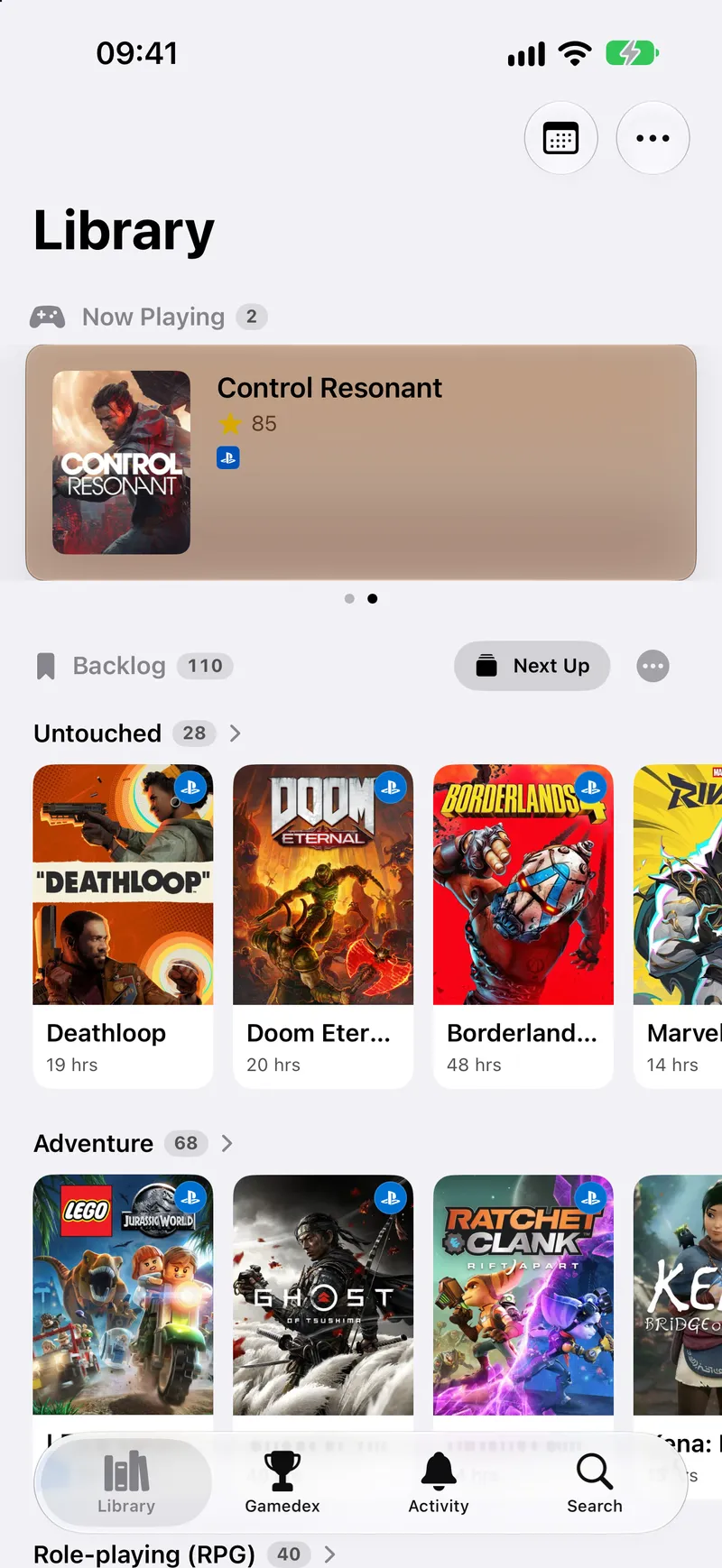
No more one long list. Your backlog now sorts itself onto shelves: the games you’re nearly done with, the ones you’ve barely touched, the genres you keep collecting. Build your own shelves and pin your favourites. And if an import left things a little flat, Organise in the Library menu spots it, and changes nothing until you say so.
Rate every game, your way
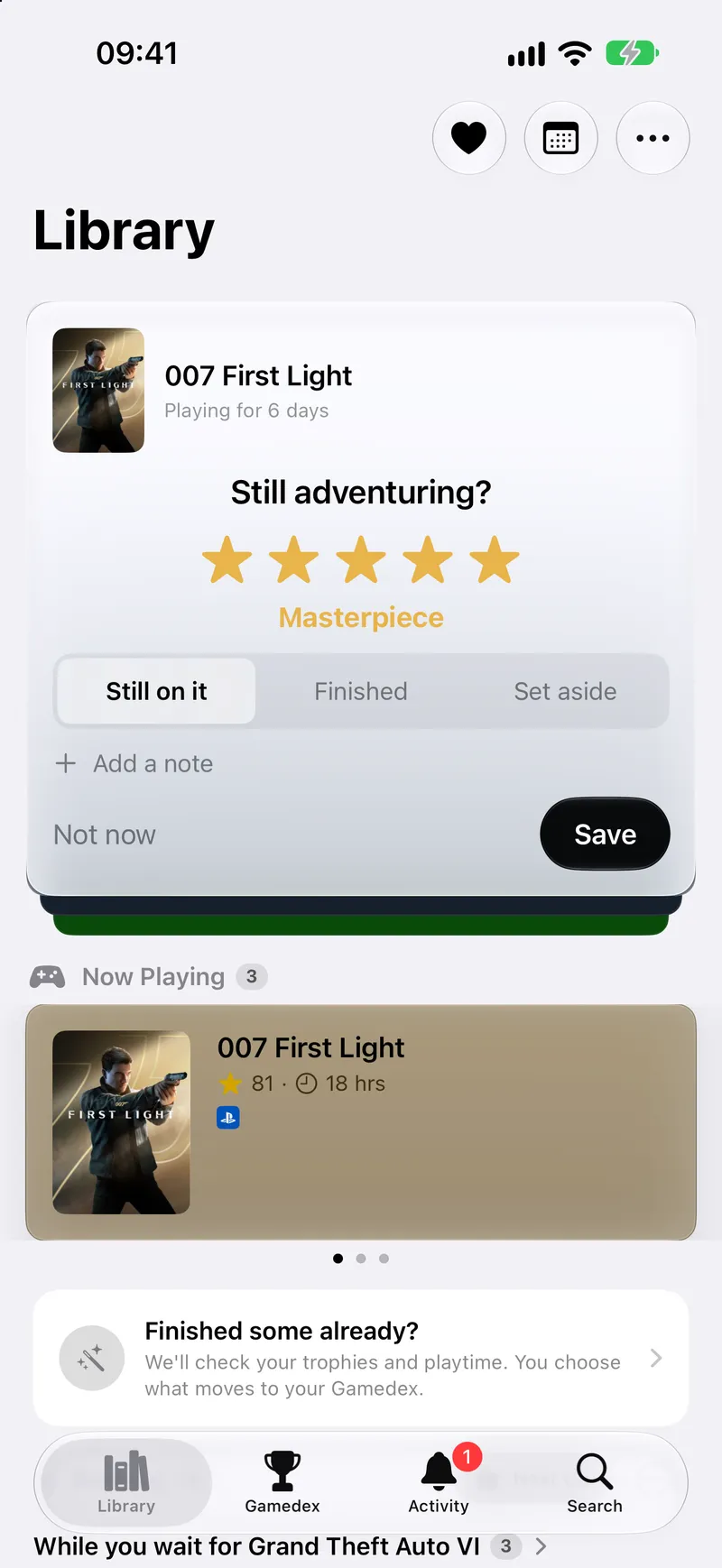
Five stars, half steps, a score out of ten: from Uninstalled all the way up to Masterpiece. Your rating ranks your Top Completed and picks your Recap’s game of the year. Old verdicts became scores, so nothing starts empty. Share a game card and it carries your rating and your note; on Pro, the Deluxe card is animated foil.
Meet the Activity tab
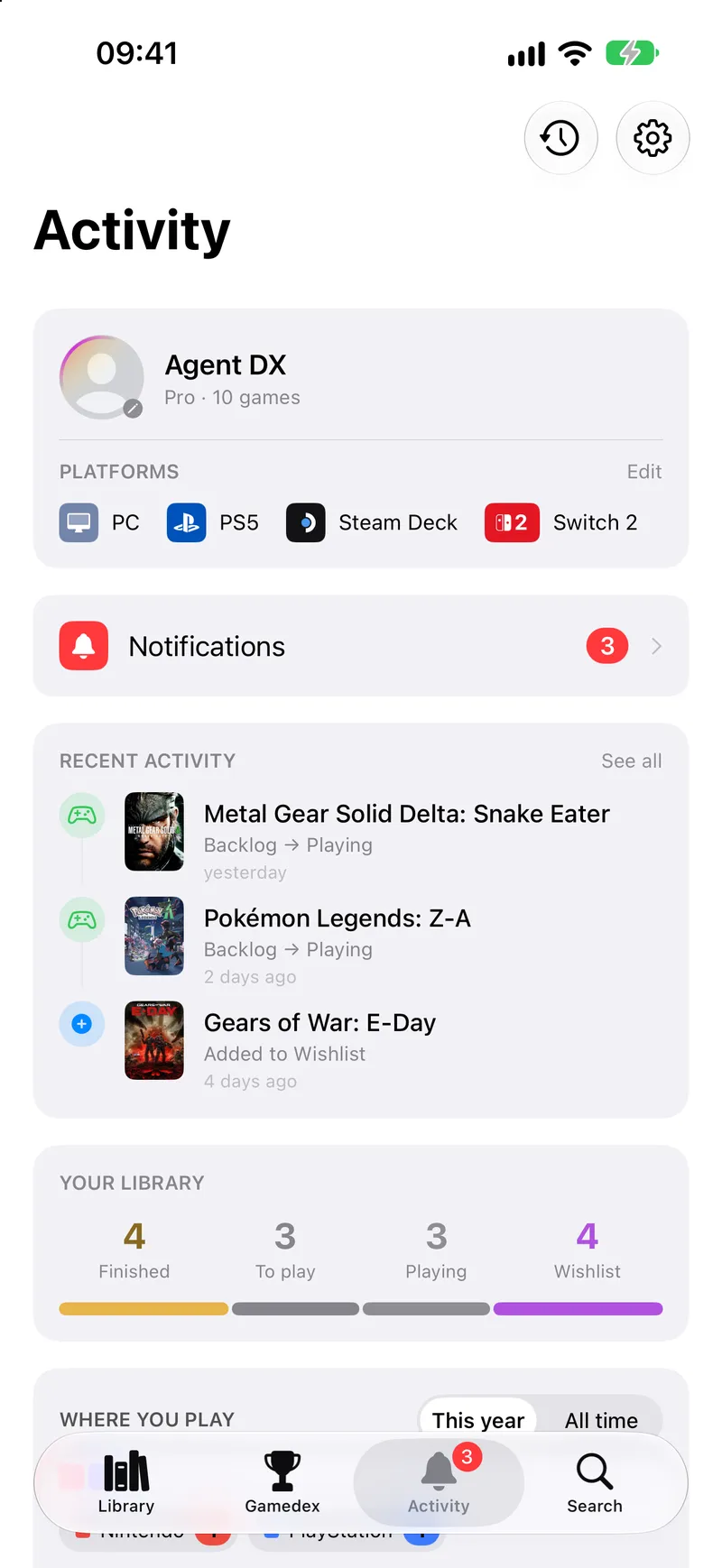
A new tab for the bigger picture: your library at a glance, your Top Completed, last month’s Recap and your notifications, all in one place. With Pro it goes deeper — the kind of player you are, where you play with a square for every game, your rarest trophy, and what you tend to finish.
What’s coming out
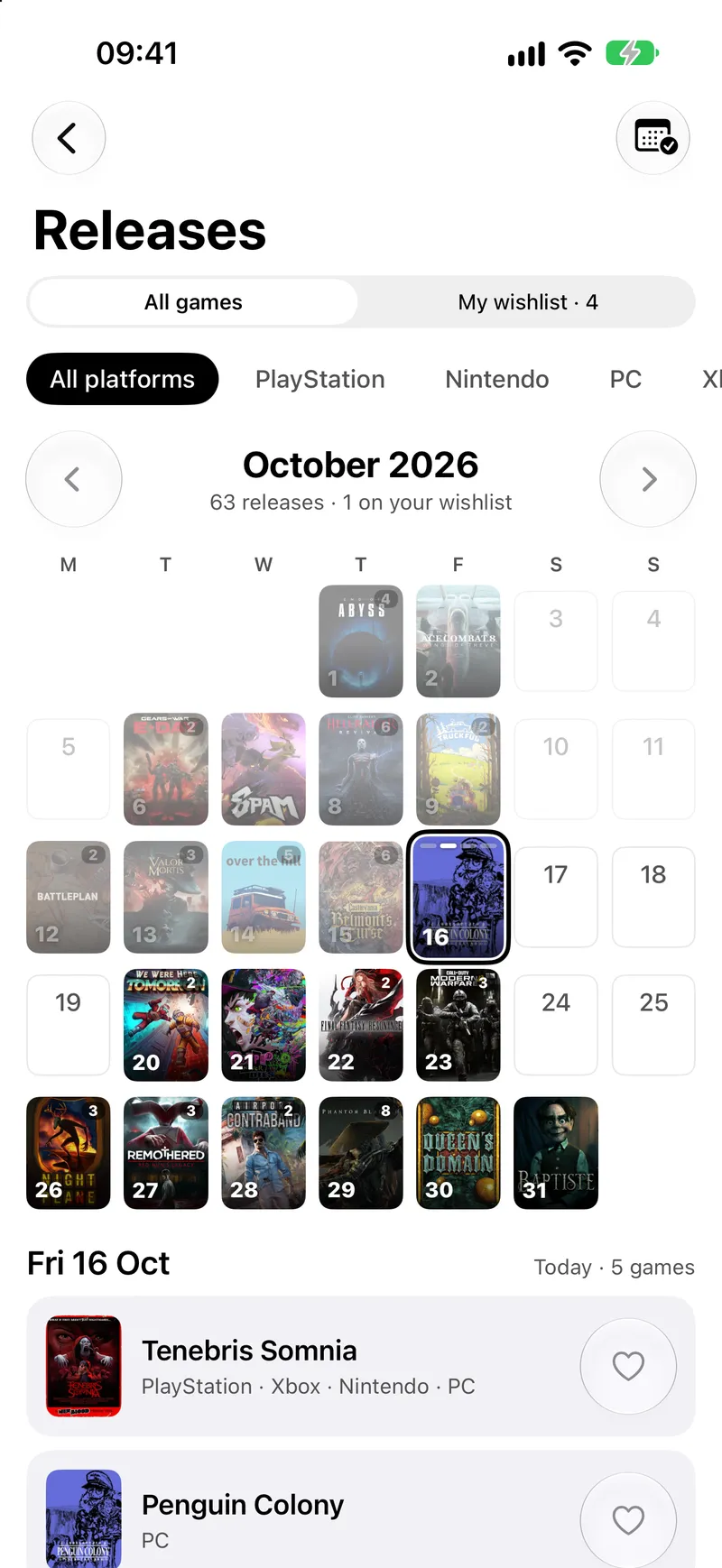
Upcoming releases month by month, or just the ones on your wishlist. With Pro, your wishlist’s release days go straight into Apple Calendar, and they move when the dates do.
Widgets, drawn with your games
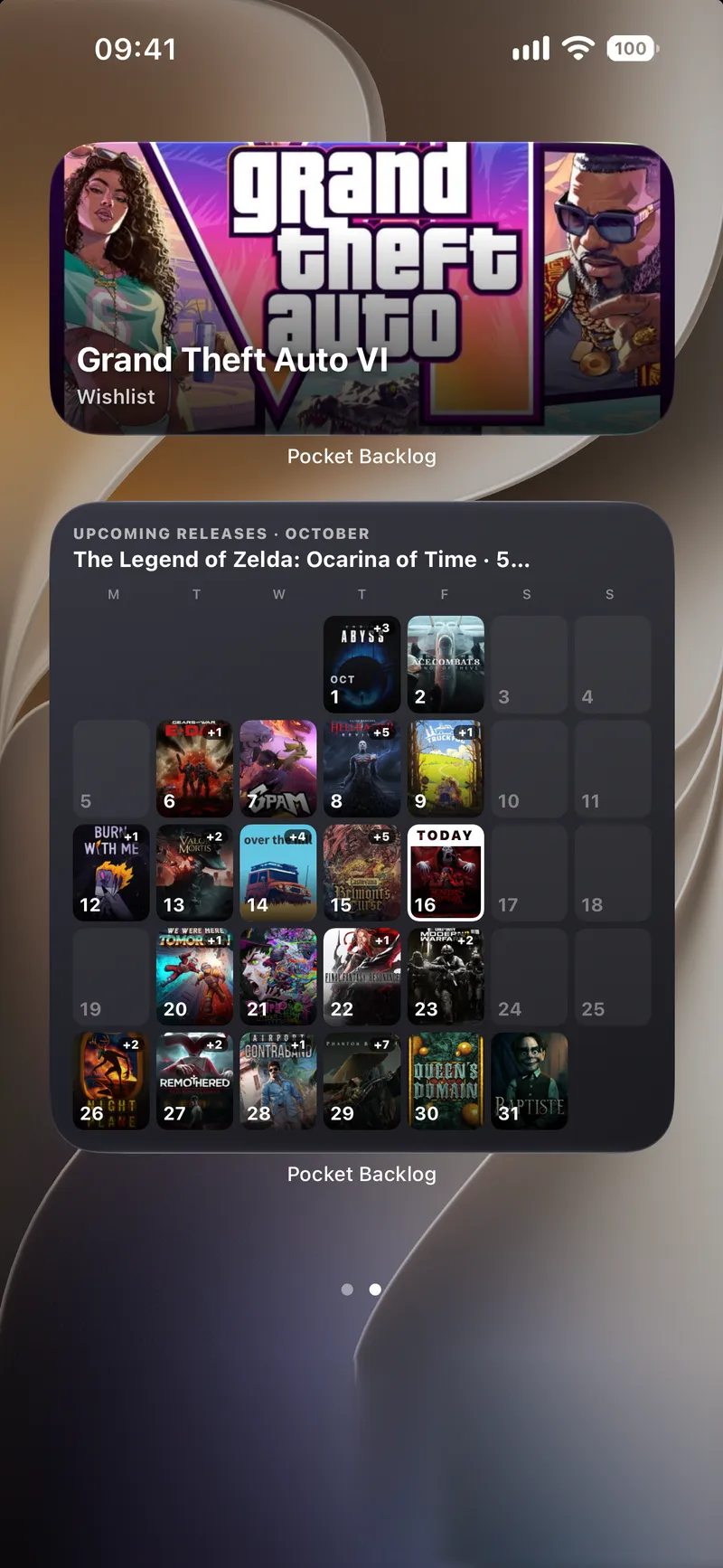
For your Home Screen and Lock Screen: the game you’re playing, what to play next, and with Pro, the month ahead’s releases at a glance.
A new icon, and 35 more
A purple controller now sits on your Home Screen, and the Original is a tap away if you miss it. Accent colours are free for everyone; with Pro there are 36 icons to choose from, fifteen of them new solid colours.
That’s 1.4.0 — every platform, one backlog, and a few more reasons to finish something tonight.
Play what’s next.